product / capability 01
See the backend — not a brochure
The Fix Queue: findings become fixes you approve.
Overlay vendors show you a widget. We show you the workbench. Below is the actual CloviAble backend — first as a screenshot, then live: click through it yourself.
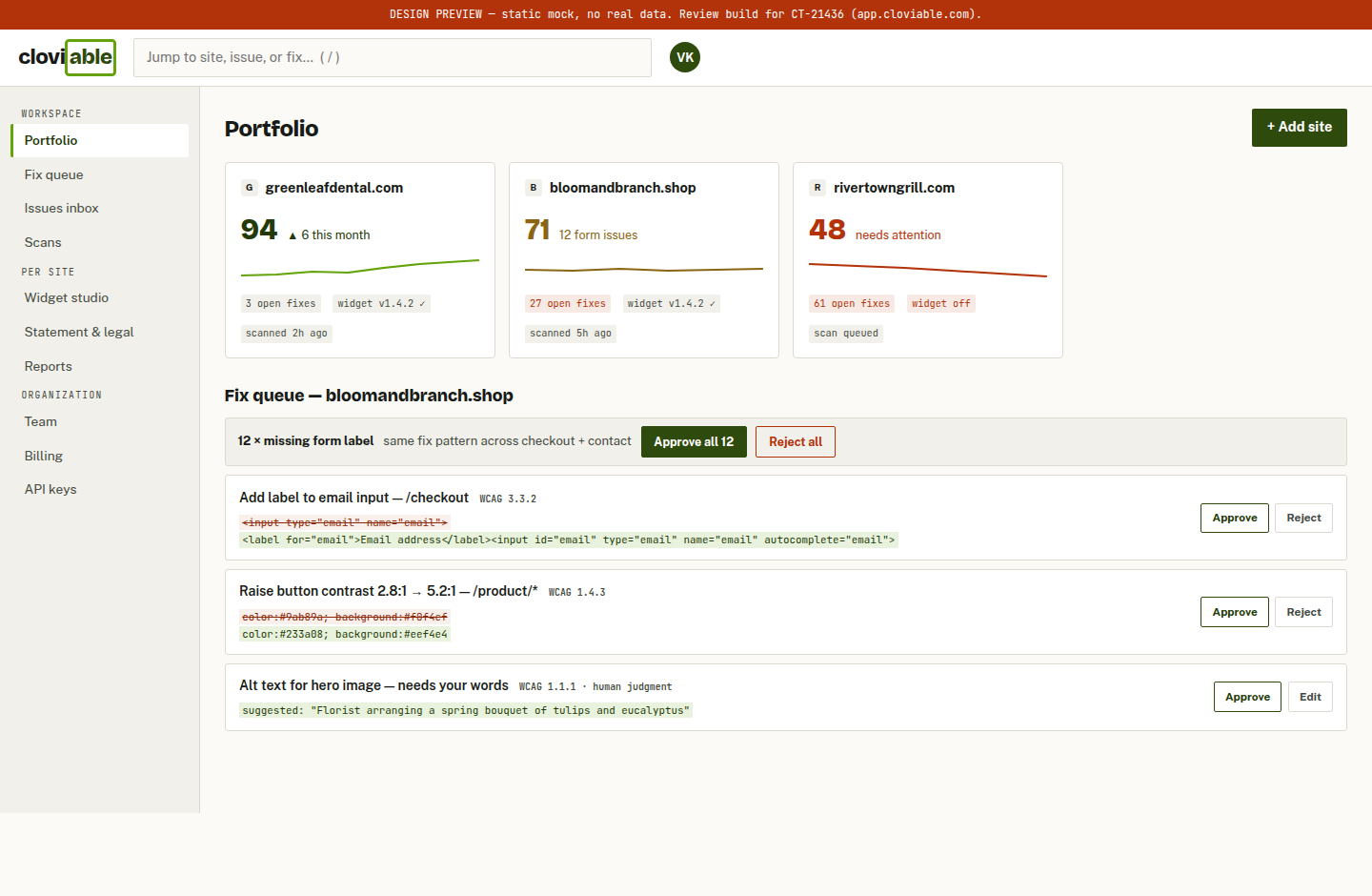
actual backend — portfolio view + fix queue with before/after code diffs (design preview build)
How a fix ships — three clicks
- The scanner finds itEvery page, WCAG 2.1/2.2, forms first. Each finding carries the exact element, the rule, and why it matters.
- You see the diffOld code struck through, proposed code underneath. Bulk-approve 12 identical form-label fixes in one click — or reject any one of them.
- It's applied and loggedApproved fixes ship through the widget layer, timestamped — building the proof-of-effort file your lawyer will love.
Before / after — drag it yourself
contrast 5.2:1 · visible focus ring · label + autocomplete
the same checkout block, before and after two approved fixes — drag or use arrow keys
The outcome customers watch
every approved fix moves the line; the same chart lives in your dashboard and your monthly email